Add contact gripper
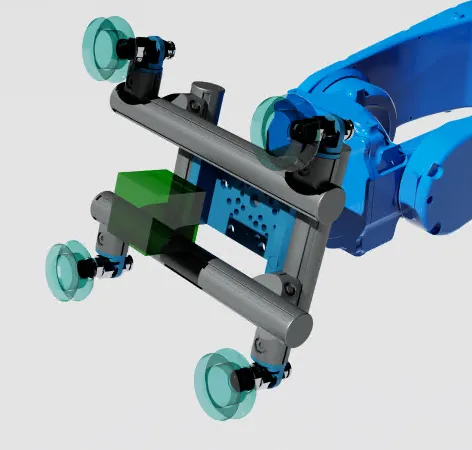
Configure a contact gripper in a scene. This guide demonstrates the workflow using a kinematic, sensor-based approach. A contact gripper handles workpieces ideally without modeling friction or force limits.
The contact gripper relies on a sensor prim that defines a sensor volume (displayed in transparent green in the image above). When the gripper node triggers in an action graph, it checks for prims inside the volume. If a prim is detected, its pose is fixed relative to the sensor prim until released.
The contact gripper itself does not require any tool geometry to function. The following steps use a suction gripper as a visual reference.
Add sensor prim
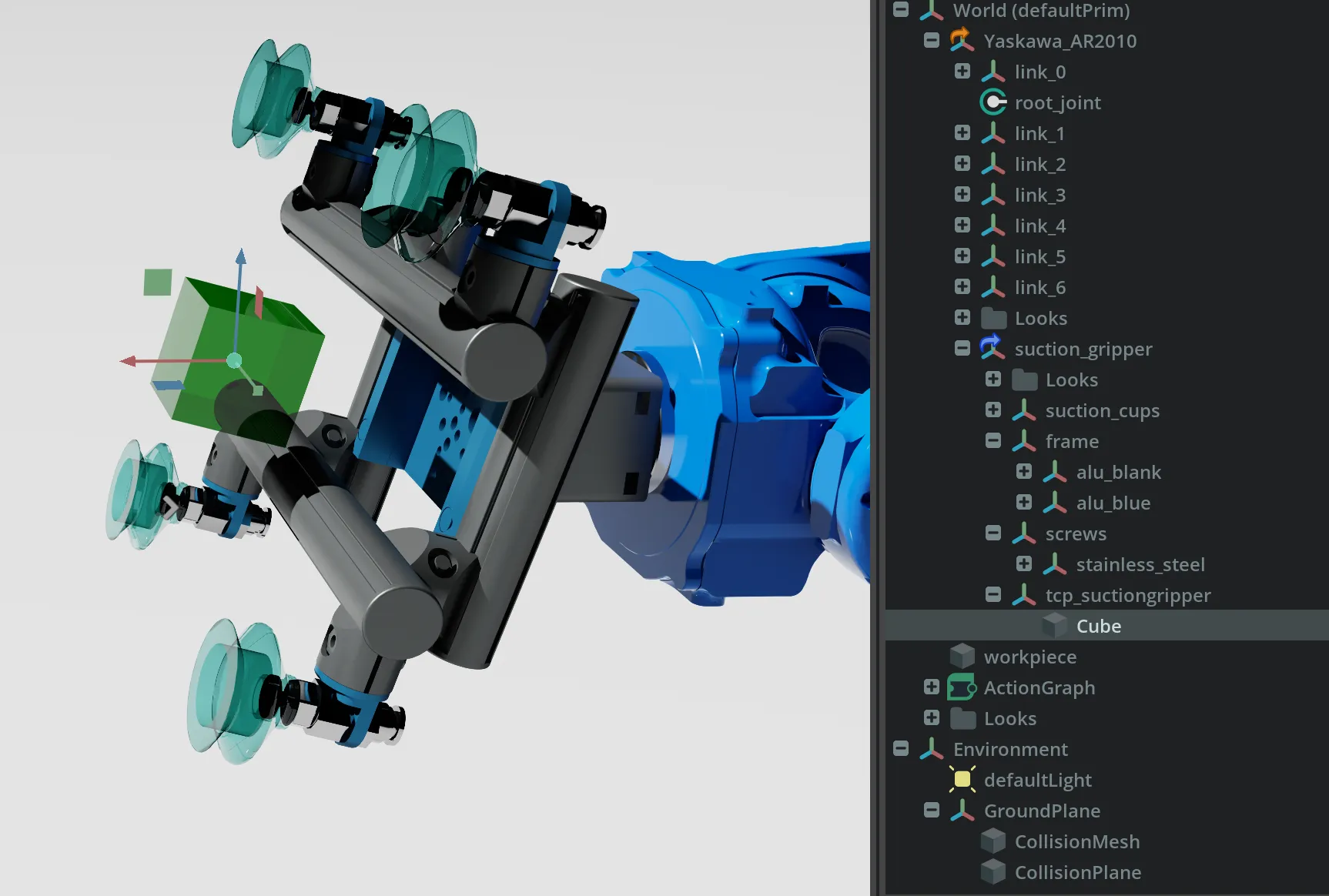
- Create the sensor prim that serves as the sensor volume.
- Place it inside the TCP
Xformto ensure correct location.
AnyMeshorShapeworks.
The sensor prim is colored green in the image.
The sensor prim does not need a ColliderAPI.
Create action graph
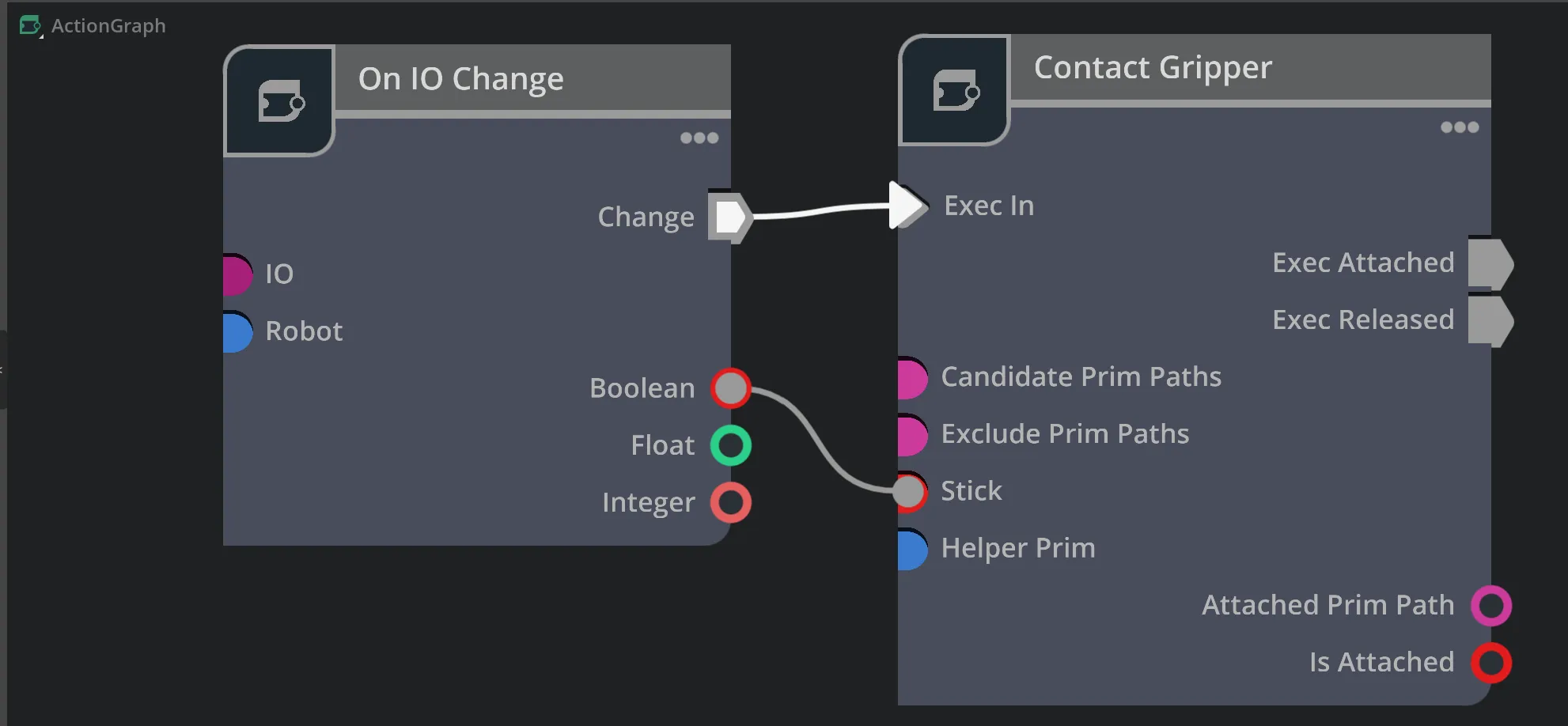
- Create an action graph and insert the
Contact Grippernode from the Wandelbots library.
In the example, an On IO Change node from the Wandelbots library triggers the grasp and release of
the workpiece.
- Configure the
Contact Grippernode with the following properties:
Sensor Prim: Reference path of the sensor volume defined above.Candidate Prim Paths: Wildcard prim path to constrain the choice of graspable workpieces.Exclude Prim Paths: Wildcard prim path to exclude prims from being grasped.
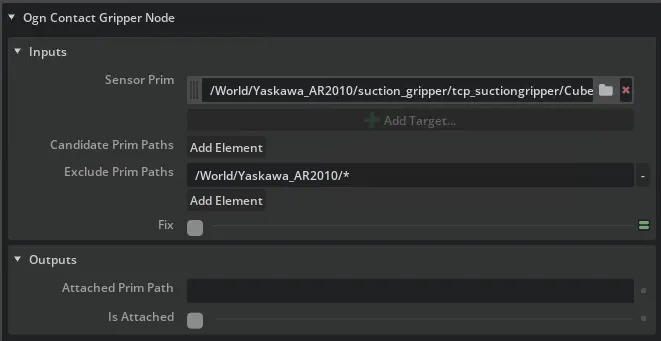
The example node is configured with the values below.
Inputs
| Property | Example value |
|---|---|
| Helper Prim | /World/Yaskawa_AR2010/suction_gripper/tcp_suctiongripper/Cube |
| Candidate Prim Paths | - |
| Exclude Prim Paths | /World/Yaskawa_AR2010/* |
| Fix | Input Variable (set via On IO Change node) |
Outputs
| Property | Example value |
|---|---|
| Attached Prim Path | /World/Workpiece/Cube |
| Is Attached | True |
Test contact gripper
Test the gripper by triggering the IO signal defined in the action graph.
The workpiece is detected and listed in the Attached Prim Path property, grasped when Fix is set to True,
and released when Fix switches back to False.